An object is a data structure (state) with a set of functions specific to the object that give a different result depending on the state of the object (its attributes).
Introduction
Object-oriented programming was born with Simula in 1962, and its origin is to simulate objects and interactions between objects.
An object is a data structure (state) with a set of functions specific to the object that give a different result depending on the state of the object (its attributes).
Finally, remember that object-oriented programming is invaluable in creating user interfaces, real object simulation programs (such as 3D design), etc., but not in managing processes that process data such as artificial intelligence, web services, etc.
Object
Data structure
Every programming language is composed of simple data structures that allow you to represent anything, for example, a rectangle:
= 3
= 6But if we have two rectangles, how can we represent them?
= 3
= 6
= 5
= 10It’s not a good solution. What if we use a list?
=
= In this way, we have the properties of a rectangle grouped in a single data structure under a single reference.
Functions
What if we want to calculate the area of a rectangle?
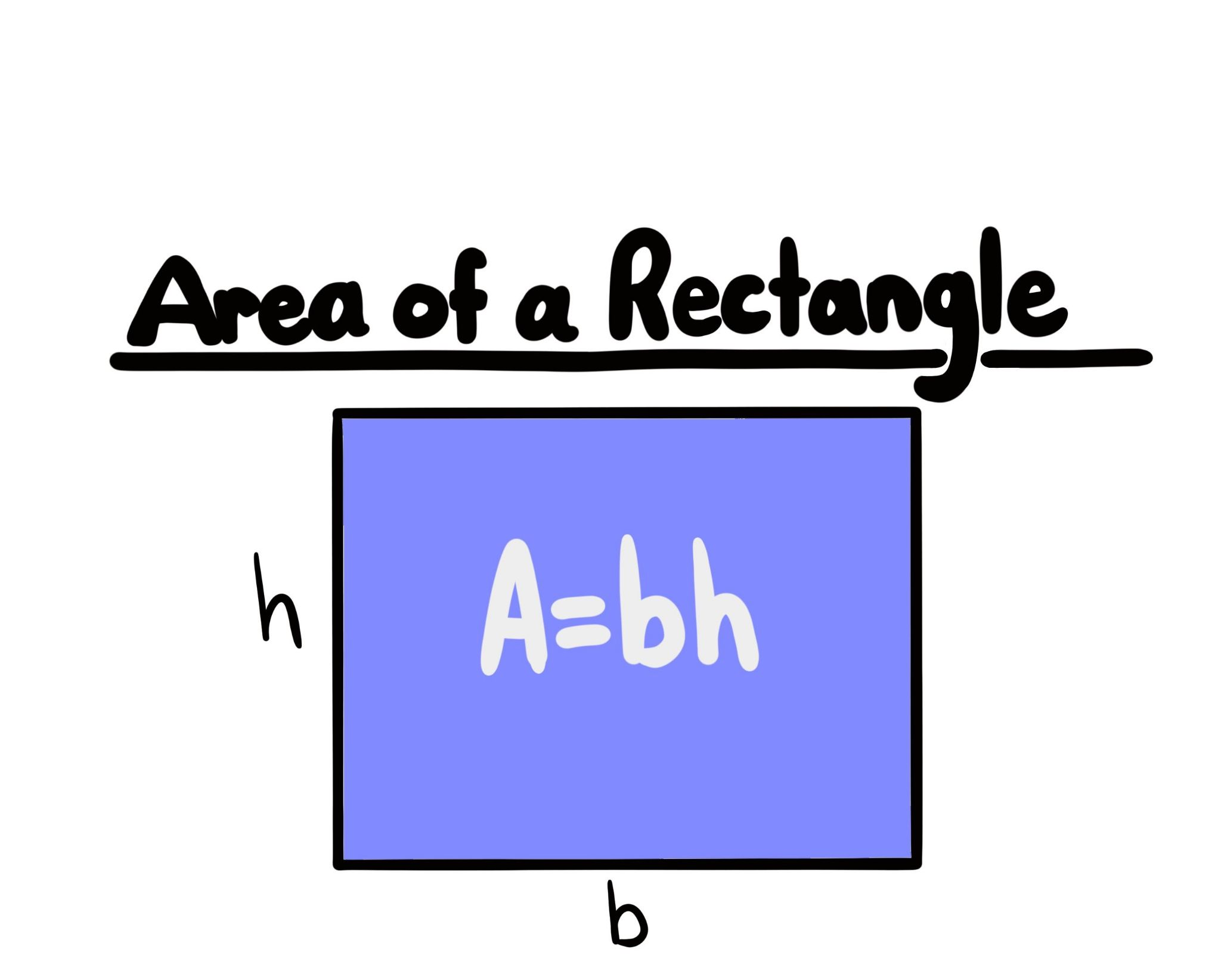
return *
assert == 12Let’s test if it works.
We create a new project:
uv init test
cd test
uv add --dev pytest
We install the pytest dependency in a development environment since we don’t need it in a production environment (–group dev).
We can now run pytest:
uv run pytestBut didn’t we say we were using a list to represent a rectangle?
return *
=
assert == 18We have a function that calculates the area of a rectangle… only if the list it receives as a parameter represents a rectangle.
The truth is that in somewhat complex code many unforeseen things can happen, because you can say that a list of two values is a rectangle, but for Python it’s just a list.
return *
=
assert == 18
= # base, height
assert == 9And it might seem obvious because it’s only a few lines, but after a hundred it’s not fun at all.
Classes
That’s why classes exist in Python:
=
=
return *
# a cube is not a rectangle
=
assert == 18
= # base, height
assert == 9
Python uses duck typing. Therefore, the rectangle_area function accepts any object that has two attributes named length and width.
=
=
=
=
=
return *
# a cube is not a rectangle
=
assert == 18
=
assert == 36Since a cube has the attributes length and width, the rectangle_area function has no problem calculating its area:
When I see a bird that walks like a duck, swims like a duck, and sounds like a duck, I call that bird a duck.
Languages that force you to declare the parameter type do not have this problem.
We can modify the rectangle_area function to verify that the parameter is an instance of the Rectangle class with the isinstance function:
=
=
=
=
=
assert
return *
=
assert == 18
=
assert == 36Now, instead of giving us erroneous data, the function generates a runtime error (in languages like Java the error would be at compile time).
Anyway, if the rectangle_area function should only work with objects of the Rectangle class, why not put it all together?
=
=
return *
=
assert == 3
assert == 18By the way, in UML the Rectangle class is represented like this:


To facilitate the creation of diagrams, you can use our guide to use the Mermaid plugin in VSCode.
Exercises
Below is a UML representation of classes, and you must write the corresponding Python code.
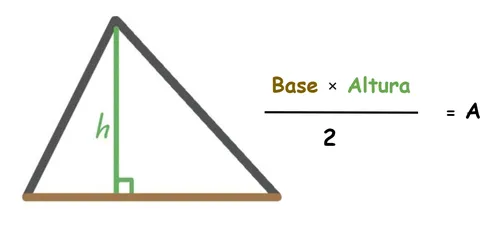
Equilateral triangle
Show solution
=
=
return * Button
Let’s represent a button in a graphical interface:
And its Python coding would be this:
Show solution
=
=
return
return Window
One of the main characteristics of object-oriented programming is object composition.
For example, a window of a graphical interface can have a button:
%22%20%20%20stroke-linecap=%22round%22%20stroke-linejoin=%22round%22%20/%3E%3Crect%20x=%2235.44%22%20y=%22224.80%22%20width=%22160.76%22%20height=%22131.10%22%20rx=%223%22%20ry=%223%22%20fill=%22%23F8FAFC%22%20stroke=%22%2394A3B8%22%20stroke-width=%221%22%20stroke-linejoin=%22round%22%20stroke-linecap=%22round%22/%3E%3Cline%20x1=%2241.44%22%20y1=%22263.75%22%20x2=%22190.20%22%20y2=%22263.75%22%20stroke=%22%2394A3B8%22%20stroke-width=%221.0%22/%3E%3Cline%20x1=%2241.44%22%20y1=%22317.30%22%20x2=%22190.20%22%20y2=%22317.30%22%20stroke=%22%2394A3B8%22%20stroke-width=%221.0%22/%3E%3Ctext%20x=%22115.82%22%20y=%22250.80%22%20text-anchor=%22middle%22%20font-family=%22Inter,ui-sans-serif,system-ui,-apple-system,Segoe%20UI,sans-serif%22%20font-size=%2214%22%20fill=%22%230F172A%22%3E%3Ctspan%20x=%22115.82%22%20dy=%220.00%22%20font-weight=%22600%22%3EButton%3C/tspan%3E%3C/text%3E%3Ctext%20x=%2265.44%22%20y=%22286.50%22%20text-anchor=%22start%22%20font-family=%22Inter,ui-sans-serif,system-ui,-apple-system,Segoe%20UI,sans-serif%22%20font-size=%2214%22%20fill=%22%230F172A%22%3E%3Ctspan%20x=%2265.44%22%20dy=%220.00%22%3Ebool%20active%3C/tspan%3E%3Ctspan%20x=%2265.44%22%20dy=%2217.85%22%3EString%20message%3C/tspan%3E%3Ctspan%20x=%2265.44%22%20dy=%2235.70%22%3EString%20click()%3C/tspan%3E%3C/text%3E%3Crect%20x=%228.00%22%20y=%228.00%22%20width=%22215.64%22%20height=%22166.80%22%20rx=%223%22%20ry=%223%22%20fill=%22%23F8FAFC%22%20stroke=%22%2394A3B8%22%20stroke-width=%221%22%20stroke-linejoin=%22round%22%20stroke-linecap=%22round%22/%3E%3Cline%20x1=%2214.00%22%20y1=%2246.95%22%20x2=%22217.64%22%20y2=%2246.95%22%20stroke=%22%2394A3B8%22%20stroke-width=%221.0%22/%3E%3Cline%20x1=%2214.00%22%20y1=%22118.35%22%20x2=%22217.64%22%20y2=%22118.35%22%20stroke=%22%2394A3B8%22%20stroke-width=%221.0%22/%3E%3Ctext%20x=%22115.82%22%20y=%2234.00%22%20text-anchor=%22middle%22%20font-family=%22Inter,ui-sans-serif,system-ui,-apple-system,Segoe%20UI,sans-serif%22%20font-size=%2214%22%20fill=%22%230F172A%22%3E%3Ctspan%20x=%22115.82%22%20dy=%220.00%22%20font-weight=%22600%22%3EWindow%3C/tspan%3E%3C/text%3E%3Ctext%20x=%2238.00%22%20y=%2269.70%22%20text-anchor=%22start%22%20font-family=%22Inter,ui-sans-serif,system-ui,-apple-system,Segoe%20UI,sans-serif%22%20font-size=%2214%22%20fill=%22%230F172A%22%3E%3Ctspan%20x=%2238.00%22%20dy=%220.00%22%3EString%20title%3C/tspan%3E%3Ctspan%20x=%2238.00%22%20dy=%2217.85%22%3Eint%20width%3C/tspan%3E%3Ctspan%20x=%2238.00%22%20dy=%2217.85%22%3Eint%20height%3C/tspan%3E%3Ctspan%20x=%2238.00%22%20dy=%2235.70%22%3Eresize(width:%20double,%3C/tspan%3E%3Ctspan%20x=%2238.00%22%20dy=%2217.85%22%3Eheight:%20double)%3C/tspan%3E%3C/text%3E%3C/svg%3E)
%22%20%20%20stroke-linecap=%22round%22%20stroke-linejoin=%22round%22%20/%3E%3Crect%20x=%2235.44%22%20y=%22224.80%22%20width=%22160.76%22%20height=%22131.10%22%20rx=%223%22%20ry=%223%22%20fill=%22%231e293b%22%20stroke=%22%23475569%22%20stroke-width=%221%22%20stroke-linejoin=%22round%22%20stroke-linecap=%22round%22/%3E%3Cline%20x1=%2241.44%22%20y1=%22263.75%22%20x2=%22190.20%22%20y2=%22263.75%22%20stroke=%22%23475569%22%20stroke-width=%221.0%22/%3E%3Cline%20x1=%2241.44%22%20y1=%22317.30%22%20x2=%22190.20%22%20y2=%22317.30%22%20stroke=%22%23475569%22%20stroke-width=%221.0%22/%3E%3Ctext%20x=%22115.82%22%20y=%22250.80%22%20text-anchor=%22middle%22%20font-family=%22Inter,ui-sans-serif,system-ui,-apple-system,Segoe%20UI,sans-serif%22%20font-size=%2214%22%20fill=%22%23f1f5f9%22%3E%3Ctspan%20x=%22115.82%22%20dy=%220.00%22%20font-weight=%22600%22%3EButton%3C/tspan%3E%3C/text%3E%3Ctext%20x=%2265.44%22%20y=%22286.50%22%20text-anchor=%22start%22%20font-family=%22Inter,ui-sans-serif,system-ui,-apple-system,Segoe%20UI,sans-serif%22%20font-size=%2214%22%20fill=%22%23f1f5f9%22%3E%3Ctspan%20x=%2265.44%22%20dy=%220.00%22%3Ebool%20active%3C/tspan%3E%3Ctspan%20x=%2265.44%22%20dy=%2217.85%22%3EString%20message%3C/tspan%3E%3Ctspan%20x=%2265.44%22%20dy=%2235.70%22%3EString%20click()%3C/tspan%3E%3C/text%3E%3Crect%20x=%228.00%22%20y=%228.00%22%20width=%22215.64%22%20height=%22166.80%22%20rx=%223%22%20ry=%223%22%20fill=%22%231e293b%22%20stroke=%22%23475569%22%20stroke-width=%221%22%20stroke-linejoin=%22round%22%20stroke-linecap=%22round%22/%3E%3Cline%20x1=%2214.00%22%20y1=%2246.95%22%20x2=%22217.64%22%20y2=%2246.95%22%20stroke=%22%23475569%22%20stroke-width=%221.0%22/%3E%3Cline%20x1=%2214.00%22%20y1=%22118.35%22%20x2=%22217.64%22%20y2=%22118.35%22%20stroke=%22%23475569%22%20stroke-width=%221.0%22/%3E%3Ctext%20x=%22115.82%22%20y=%2234.00%22%20text-anchor=%22middle%22%20font-family=%22Inter,ui-sans-serif,system-ui,-apple-system,Segoe%20UI,sans-serif%22%20font-size=%2214%22%20fill=%22%23f1f5f9%22%3E%3Ctspan%20x=%22115.82%22%20dy=%220.00%22%20font-weight=%22600%22%3EWindow%3C/tspan%3E%3C/text%3E%3Ctext%20x=%2238.00%22%20y=%2269.70%22%20text-anchor=%22start%22%20font-family=%22Inter,ui-sans-serif,system-ui,-apple-system,Segoe%20UI,sans-serif%22%20font-size=%2214%22%20fill=%22%23f1f5f9%22%3E%3Ctspan%20x=%2238.00%22%20dy=%220.00%22%3EString%20title%3C/tspan%3E%3Ctspan%20x=%2238.00%22%20dy=%2217.85%22%3Eint%20width%3C/tspan%3E%3Ctspan%20x=%2238.00%22%20dy=%2217.85%22%3Eint%20height%3C/tspan%3E%3Ctspan%20x=%2238.00%22%20dy=%2235.70%22%3Eresize(width:%20double,%3C/tspan%3E%3Ctspan%20x=%2238.00%22%20dy=%2217.85%22%3Eheight:%20double)%3C/tspan%3E%3C/text%3E%3C/svg%3E)
And its Python coding would be this:
Show solution
=
=
=
=
=
=
= We can create an instance of Window and verify its operation:
=
=
assert ==
= False
=
assert ==
assert == 200
assert == 400Inheritance
TODO