Introducció
You can use supabase-kt to interact with your Postgres database, listen to database changes, invoke Deno Edge Functions, build login and user management functionality, and manage large files.
To see supported Kotlin targets, check the corresponding module README on [GitHub](https://github.com/supabase-community/supabase-kt.
The Kotlin client library is created and maintained by the Supabase community, and is not an official library. Please be tolerant of areas where the library is still being developed, and — as with all the libraries — feel free to contribute wherever you find issues.
Project
Supabase Modules
Add one or more modules to your project depending on your needs.
The available modules are:
Check out the different READMEs for information about supported Kotlin targets.
Add Ktor Client Engine to each of your Kotlin targets.
Supabase Client
Independently of which Supabase module you are using, you will need to initialize the main client first and install the module.
To create a new client, you can use the createSupabaseClient function.
When installing a module, you can pass a block to configure it.
fun
val dotenv
val supabase supabaseUrl ,
supabaseKey )
//install(Storage)
}
}Got to the Supabase dashboard and copy your project’s URL and key.

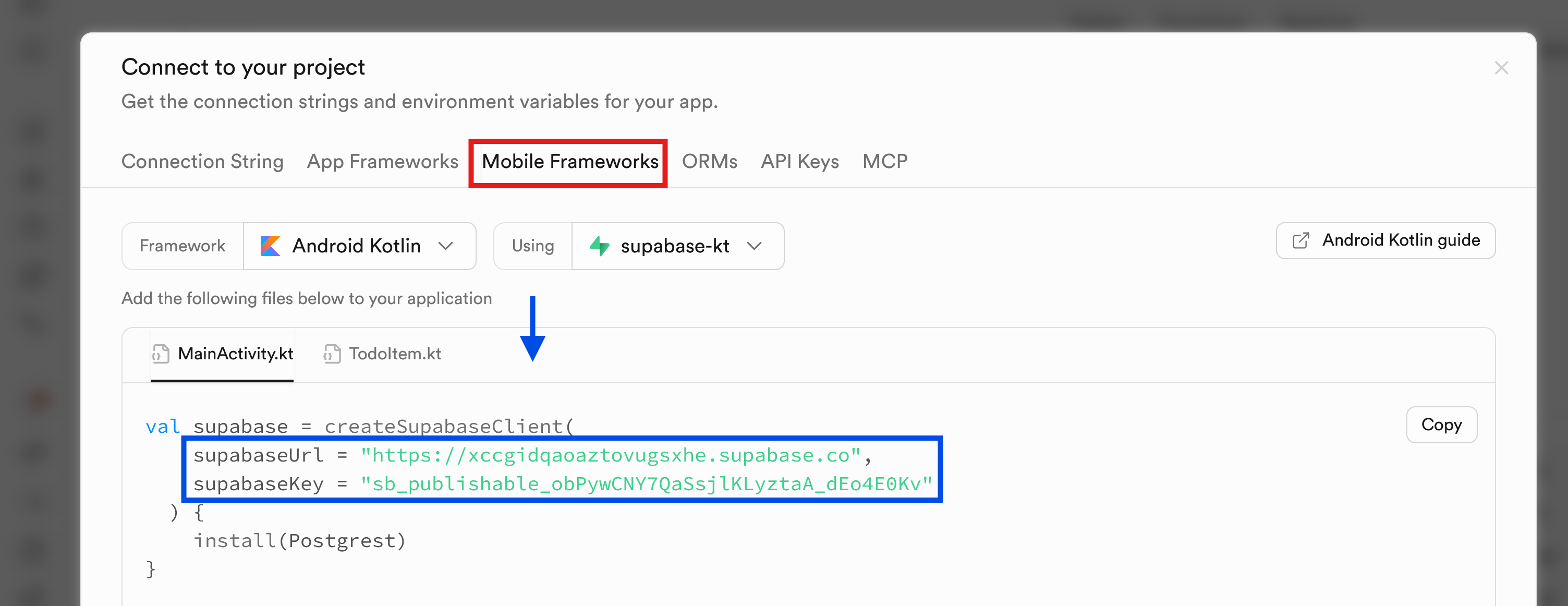
Test that the supabase client is working by running the code.
Database
Create a new table with the SQL Editor:
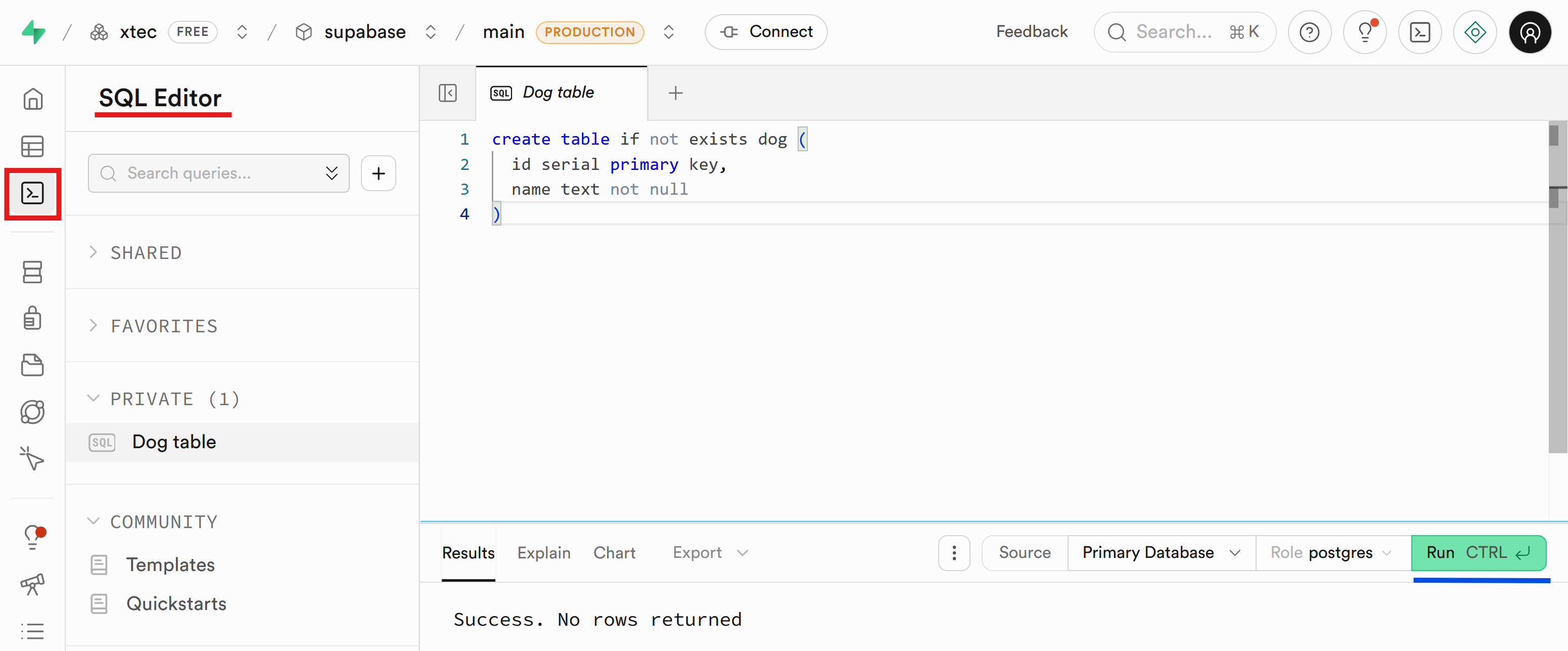
not exists dog (
id serial primary key,
name text not null
)You can find more information at Managing tables views and data.
Create the Dog and DogInsert classes:
val id: Long,
val name: String
)
val name: String
)You need the DogInsert class because the id attribute is a surrogate key.
Now you can insert the first dog:
fun // ...
runBlocking
val pg
pg..
}
}Run the code and verify in the “Table Editor” that the new record has been inserted:
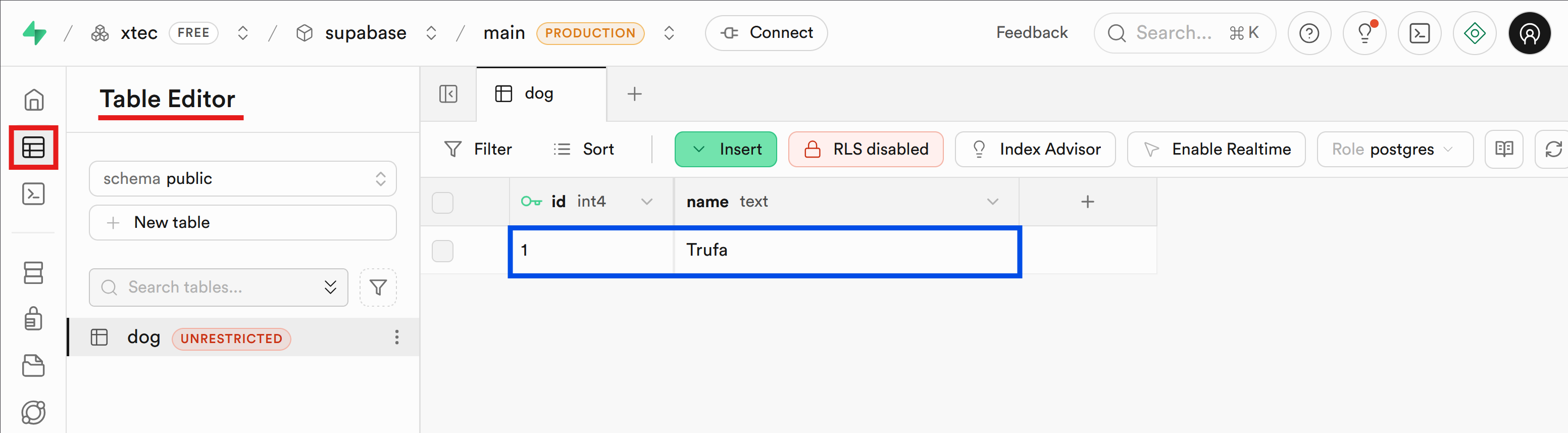
If you want to return the inserted data, you can use the select() method inside the request:
fun // ...
runBlocking
val pg
pg..
}..also
// Dog(id=2, name=Ketsu)
}
}You can also insert multiple dogs at once:
fun // ...
runBlocking
val pg
pg..
)
}..onEach
// Dog(id=3, name=Lassie)
// Dog(id=4, name=Maverick)
}
}Pending
-
https://supabase.com/docs/guides/getting-started/tutorials/with-kotlin
-
https://github.com/supabase/supabase/tree/master/examples/product-sample-supabase-kt
-
https://medium.com/@cyri113/part-1-configuring-and-testing-a-supabase-database-table-and-policies-be677be03ae